Overview
Use this guide to track your passengers' rides from start to finish in the Rides dashboard and access booking details. To make changes to an upcoming ride, see Edit a Ride.
Steps
- Log into the LUXY Travel Agent Portal.
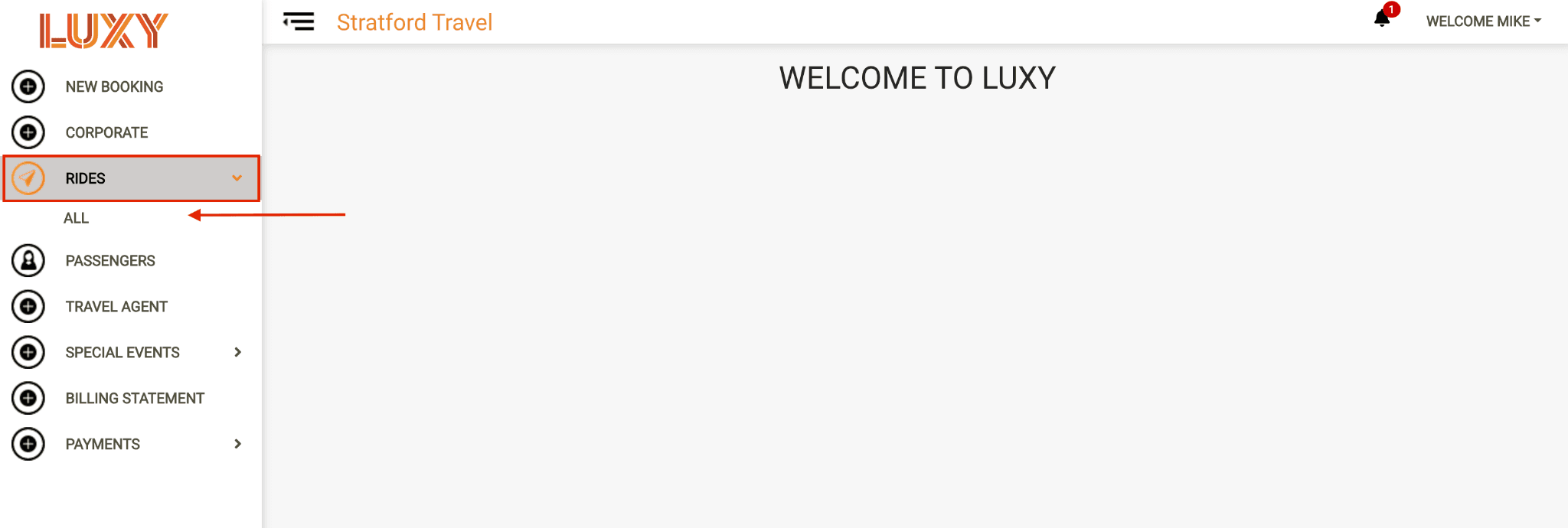
- From the left-hand menu, navigate to Rides, then All.
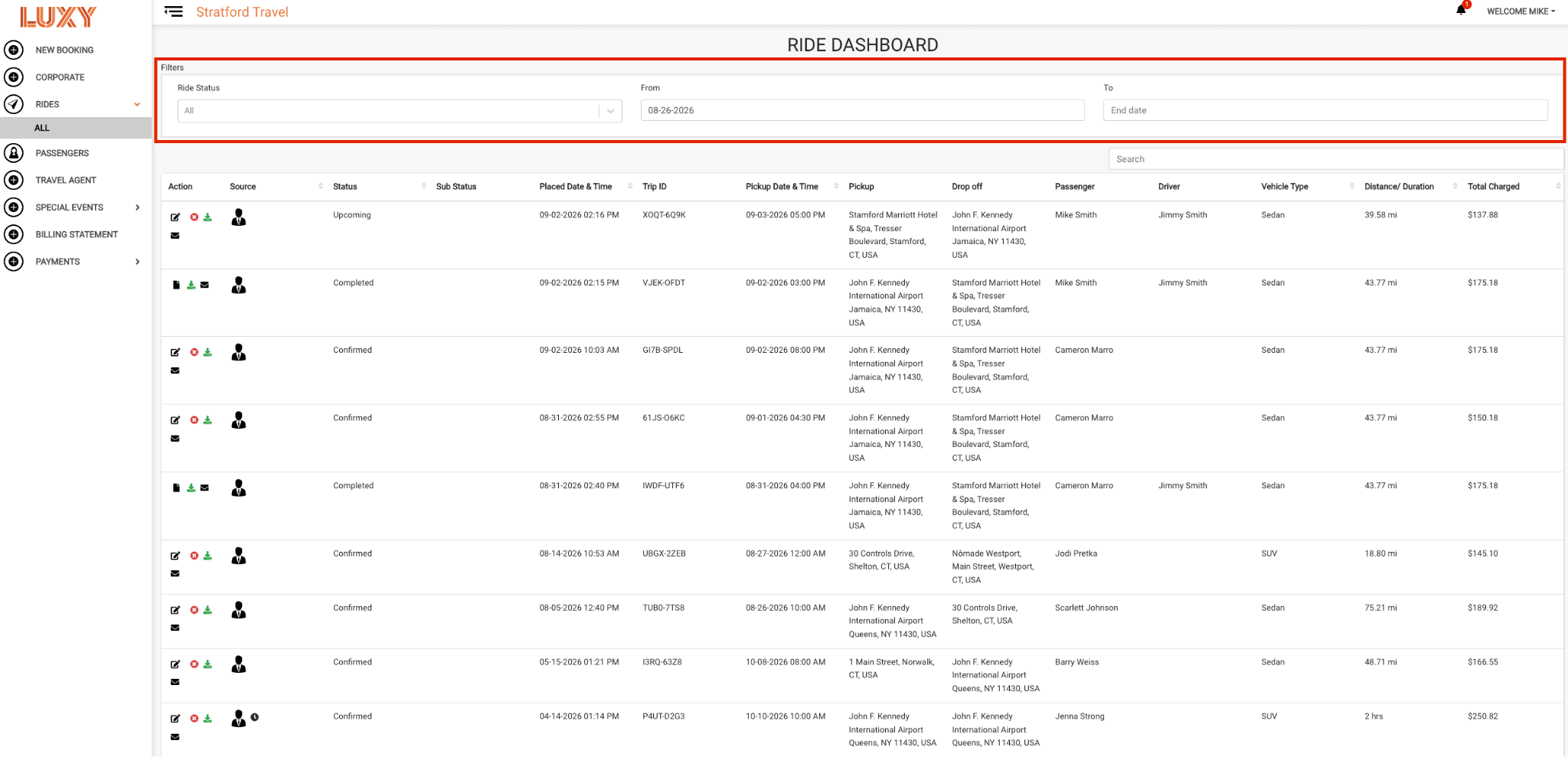
- The dashboard displays all rides booked by your agency. Use the filters to narrow the results by The current stage of a booked ride, such as In Progress or Completed. or date.
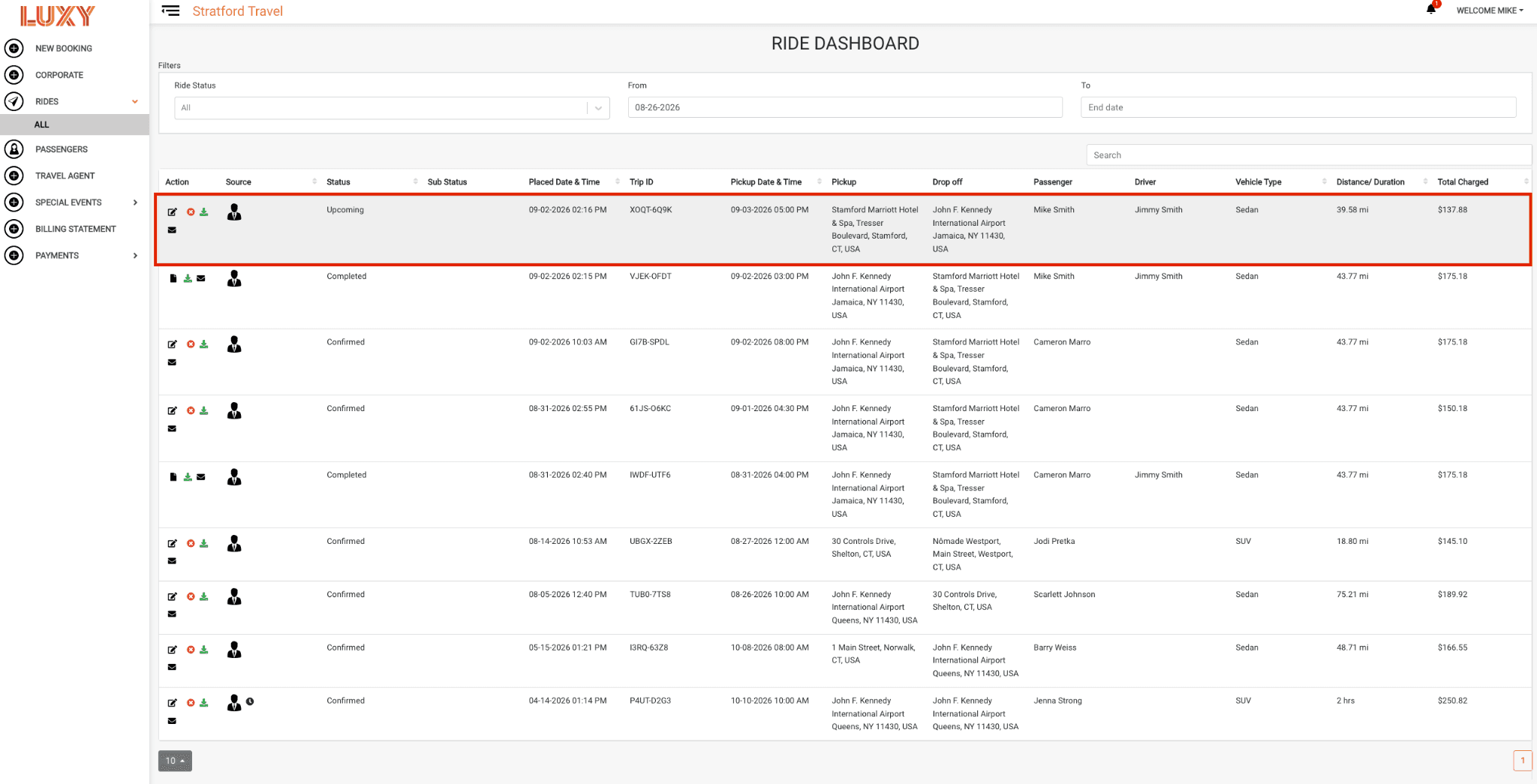
- Select a ride to open its details.
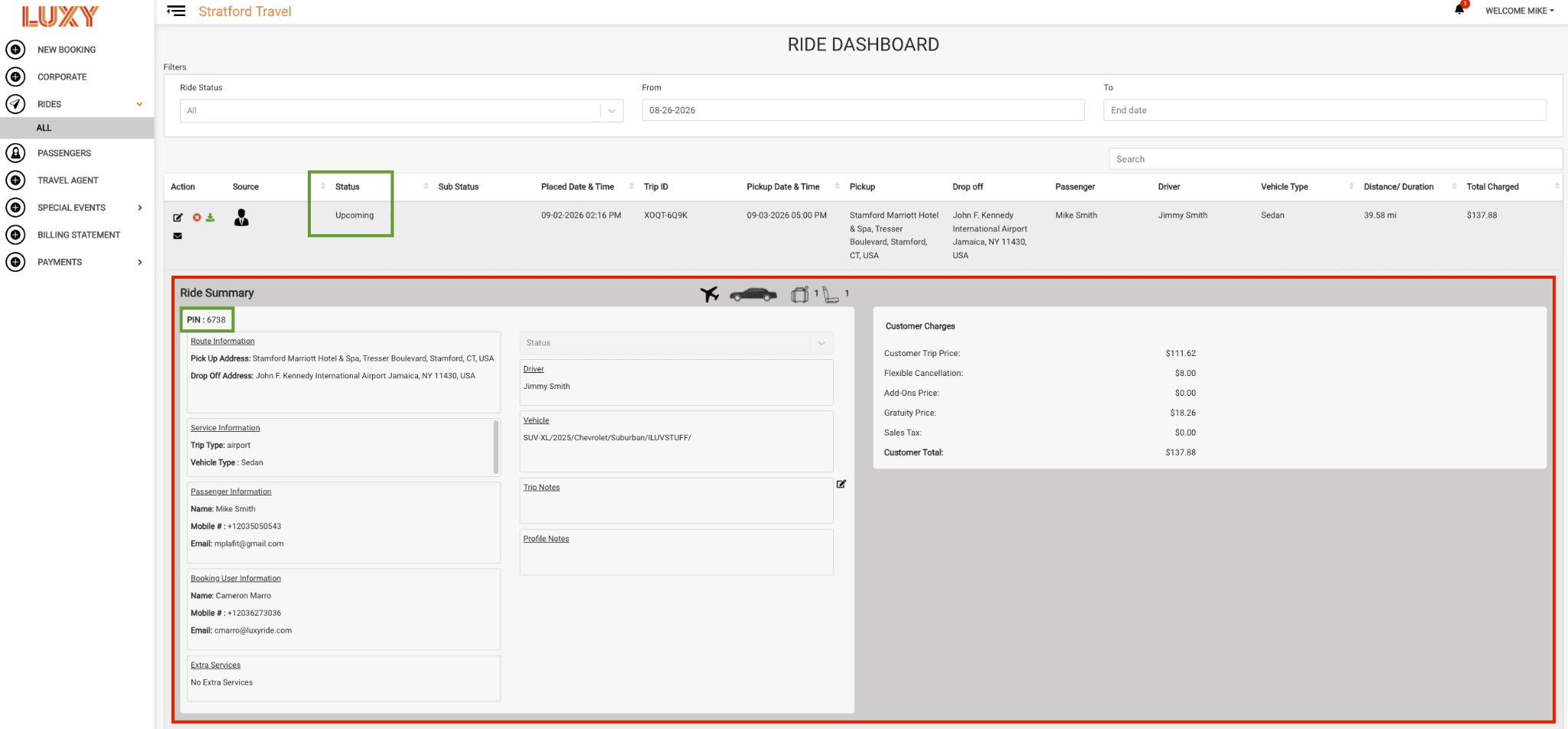
The ride details include:
- Current ride status
- Route information
- Service information
- Passenger information
- Booking user information
- Extra services
- Chauffeur and vehicle information, once assigned
- An optional field entered while booking a ride, for adding information specific to that single booking (e.g., traveling with golf clubs), separate from the passenger's saved Profile Notes.
- An optional field on a passenger's profile for saving preferences or helpful information (e.g., prefers a quiet ride) for use in future bookings. Visible to LUXY and its partners.
- Customer charges
- Safety PIN, if A security feature that requires the passenger to provide a four-digit PIN to the driver before entering the vehicle. The PIN confirms that the correct passenger and driver are matched. PIN Verification can be enabled or disabled for each travel agency account. is enabled for your agency
Chauffeur information is typically available at least 12 hours before the scheduled pickup time.See the Ride Statuses Guide for a list of ride statuses and what they mean.