Overview
Use this guide to update an existing ride reservation. You can modify eligible ride details, review the reservation's change history, and view any fare adjustments before saving your updates.
Changes can be made up to 12 hours before the scheduled pickup time.
Refunds may take 3–5 business days to appear on the original payment method.
If a change results in a refund, such as downgrading the vehicle type, you must wait at least three hours after booking before making the change. This allows the payment system time to process the original transaction.
Steps
- Log Into the LUXY Travel Agent Portal.
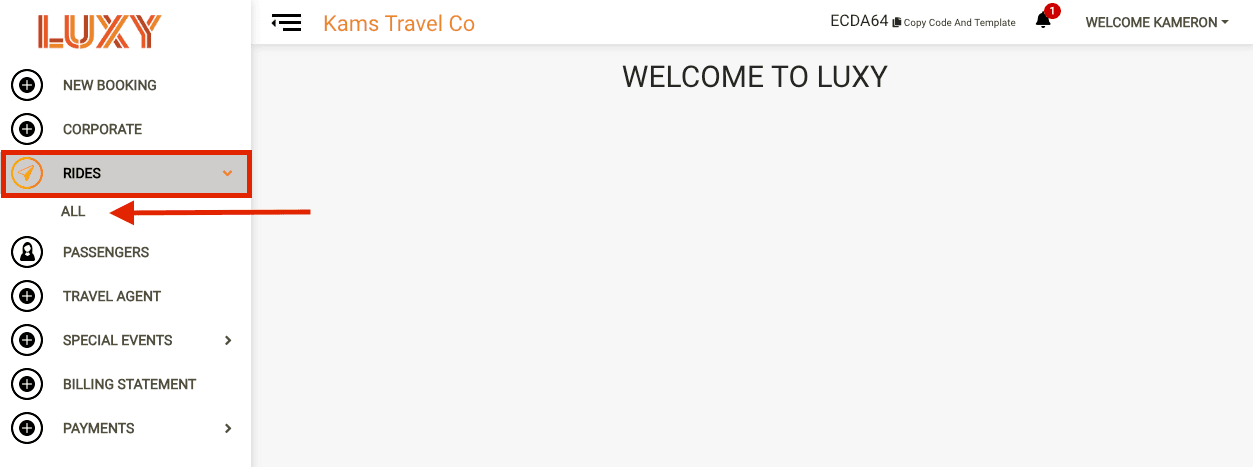
- Navigate to Rides, then select All from the dropdown.
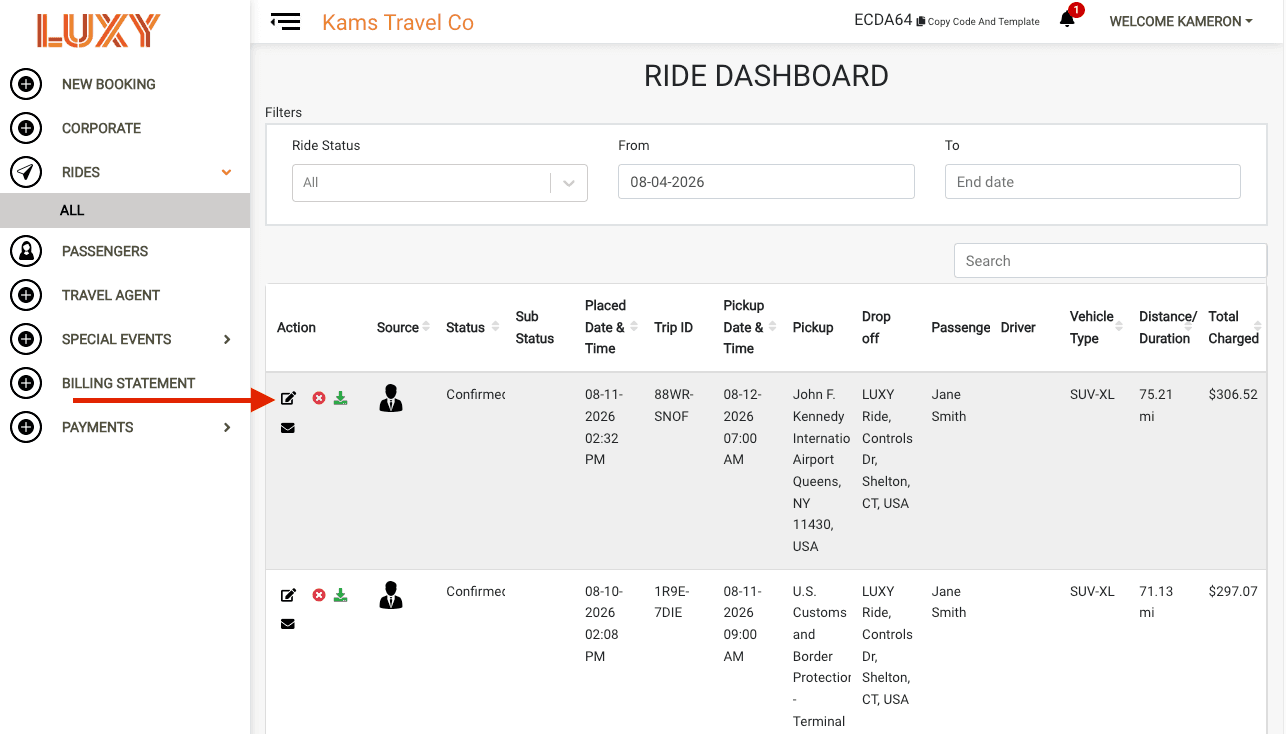
- Select the Edit icon for the ride you want to edit.
Make your edits. This populates the booked ride, allowing you to make any necessary edits. You can view a history of all changes under View A record of all changes made to a ride reservation, including the date and time of each update and any resulting fare adjustments., including the date and time of each update. Any fare adjustments will be displayed under Transaction Details.
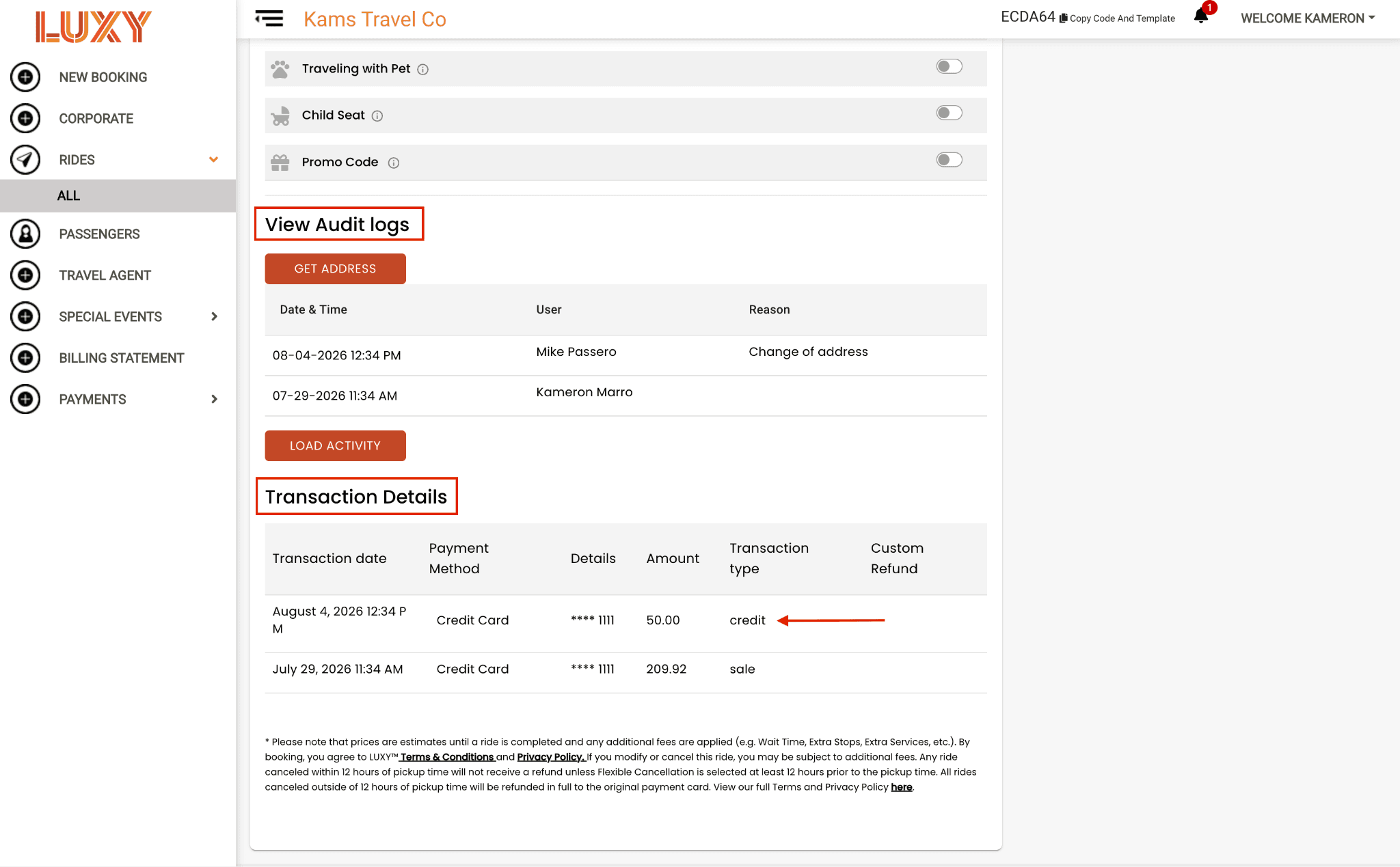 Note: If the card was not saved during the initial booking process, the payment information will need to be reentered if the vehicle is upgraded.
- Select Update Ride to save your changes.