Overview
This guide explains how to add a passenger through the LUXY Travel Agent Portal. You’ll learn how to enter the passenger’s information, understand their activation status, and review their notification preferences.
Steps
- Log into the LUXY Travel Agent Portal.
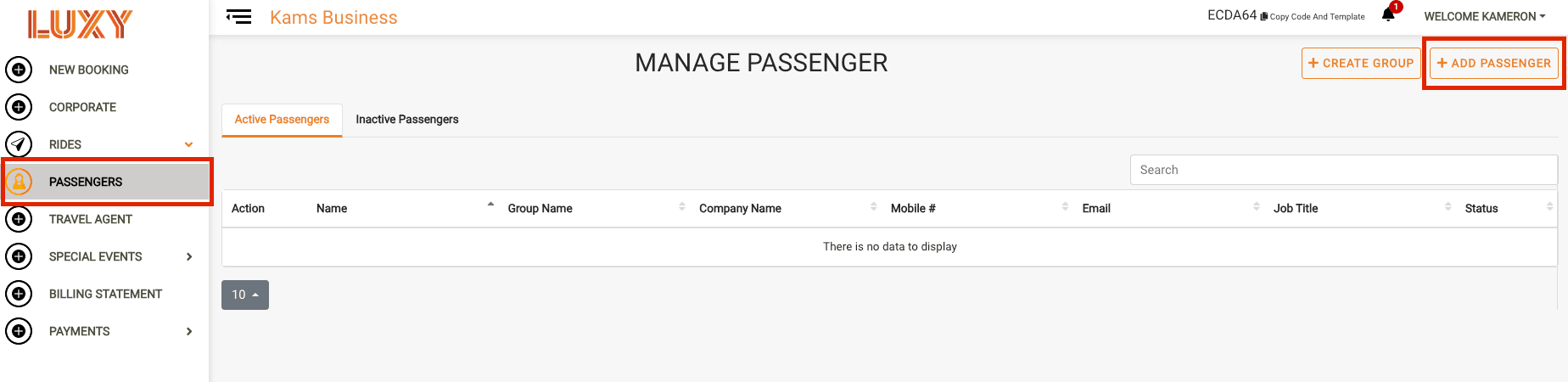
- Navigate to Passengers, then select + Add Passenger.
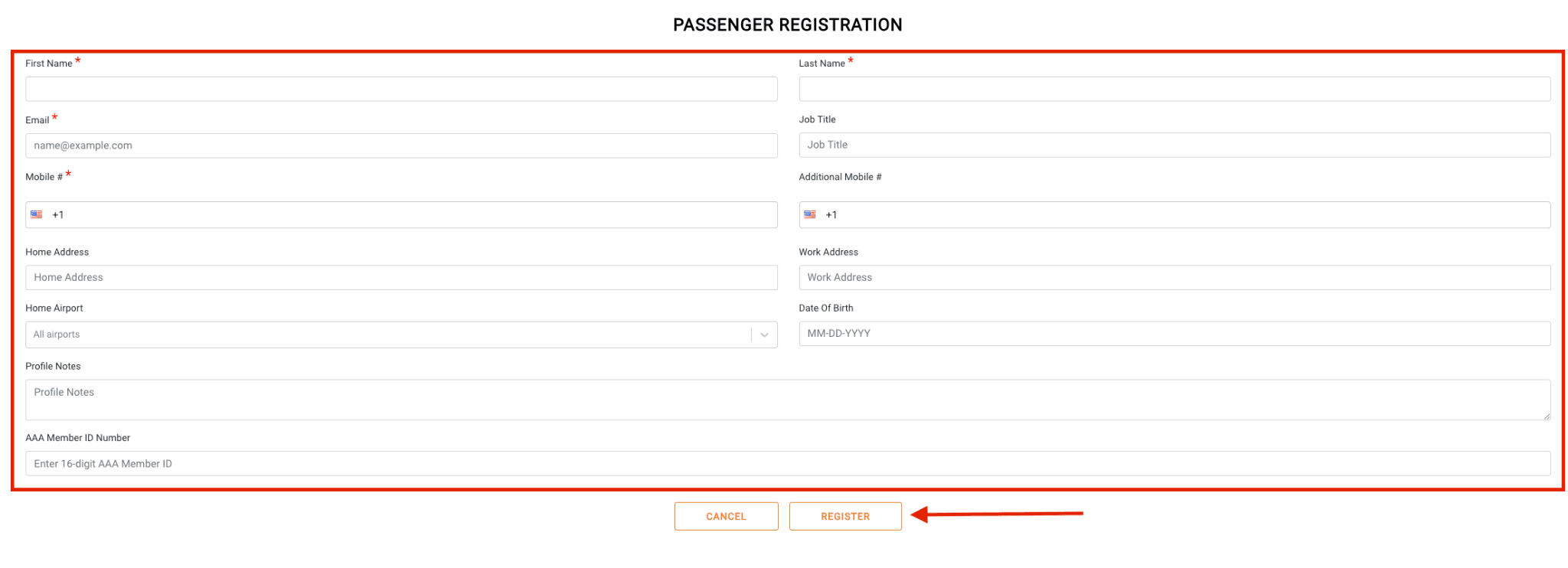
Complete the passenger information.
Fields marked with a red asterisk (*) are required:
- First Name*
- Last Name*
- Email*
- Job Title
- Mobile Number*
- Additional Mobile Number
- Home Address
- Work Address
- Home Airport
- Date of Birth
- An optional field on a passenger's profile for saving preferences or helpful information (e.g., prefers a quiet ride) for use in future bookings. Visible to LUXY and its partners. (optional) – Use this field to save passenger preferences or other helpful information that should remain on the passenger's profile (for example, prefers a quiet ride). These notes are saved with the passenger profile and can be used for future bookings. Profile notes are visible to LUXY and its partners.
- AAA Member ID Number
Select Register.
Activate the passenger (optional).
Passengers automatically receive an activation email when added. They can activate their account to access luxyride.com and the LUXY Ride app, but activation is not required for you to book rides for them.
See Activate a Passenger for more information.
Review passenger notification preferences (optional).
Passenger notification preferences are configured with recommended default settings. Review or update them if needed.
For more information, see Setting Passenger Alerts sent to passengers by email, text (SMS), or app push notification, based on settings, covering booking confirmation, trip reminders, driver status, and cancellations. and Passenger Notification Reference Guide.