Overview
Use this guide to invite another Travel Agent to join your agency on LUXY.
The percentage of a booking’s fare earned by a travel agenct for eligible bookings made through their travel agency account. Commissions are paid to the agency according to LUXY’s payout schedule. is paid to the agency as a whole, not to individual Travel Agent accounts. All Travel Agents within the agency can view the agency's rides, regardless of which agent created the booking.
Steps
- Log into the LUXY Travel Agent portal.
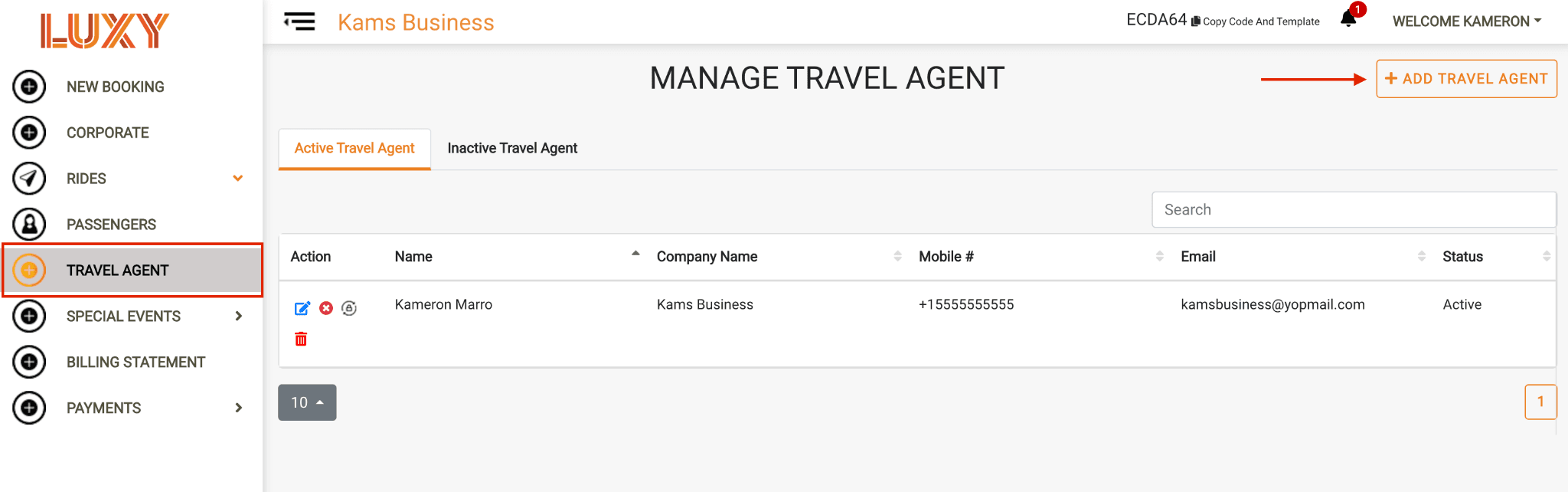
- From the left-hand menu, select Travel Agent, then + Add Travel Agent.
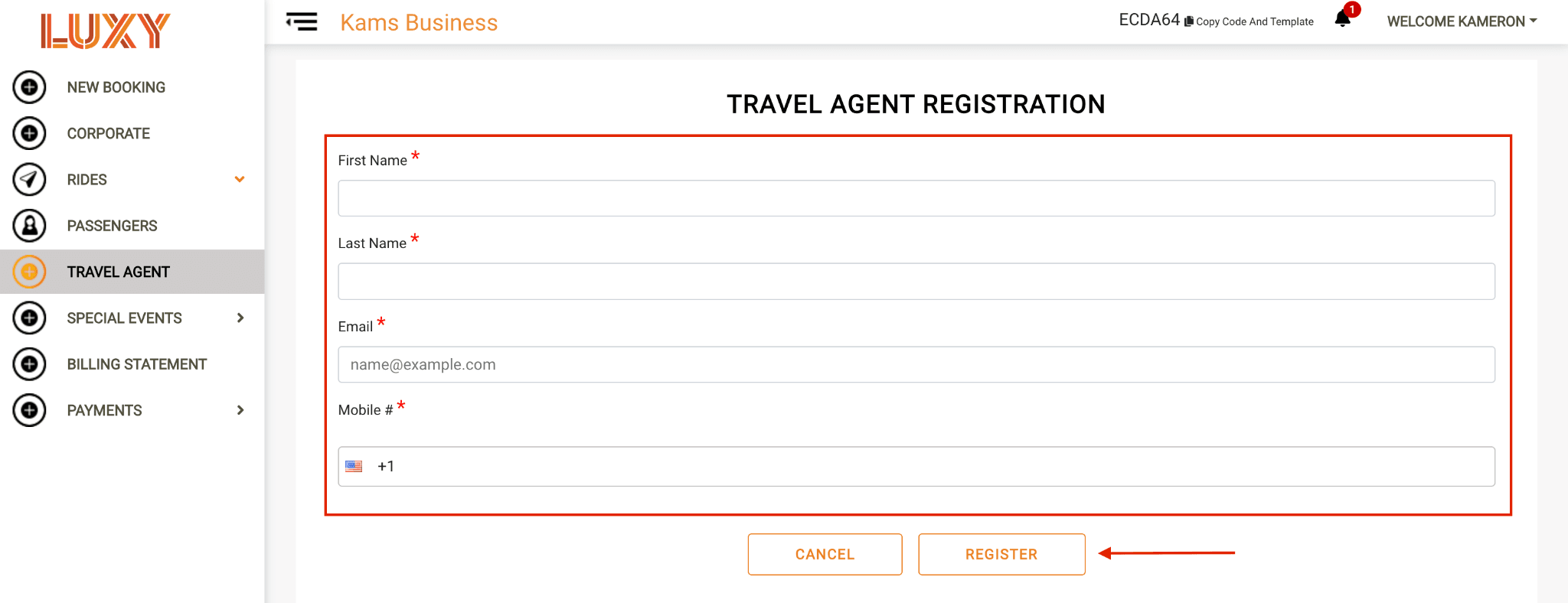
Enter the required information:
- First Name*
- Last Name*
- Email* (Note: Each Travel Agent must use a unique email address.)
- Mobile*
Click Register. The Travel Agent will receive an email with instructions to activate their account.
See Activate Your Travel Agent Account for instructions the invited travel agent can follow to activate their account.