Overview
Steps
- Log into the LUXY Travel Agent Portal.
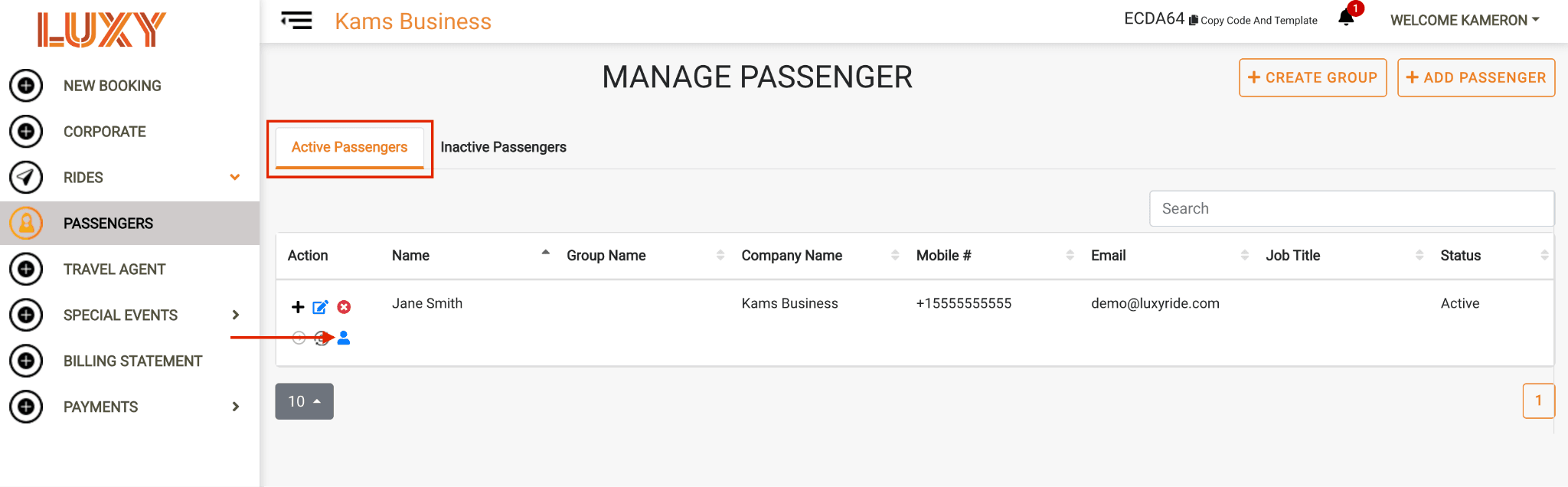
- Navigate to Passengers on the left hand side. Under Active/A passenger who has received an activation email but has not completed the activation process. Inactive passengers cannot log in to the LUXY platform or app, but can still receive trip notifications by SMS and email and can be booked for rides by a travel agent., select the Passenger Profile icon to view the passenger's history.
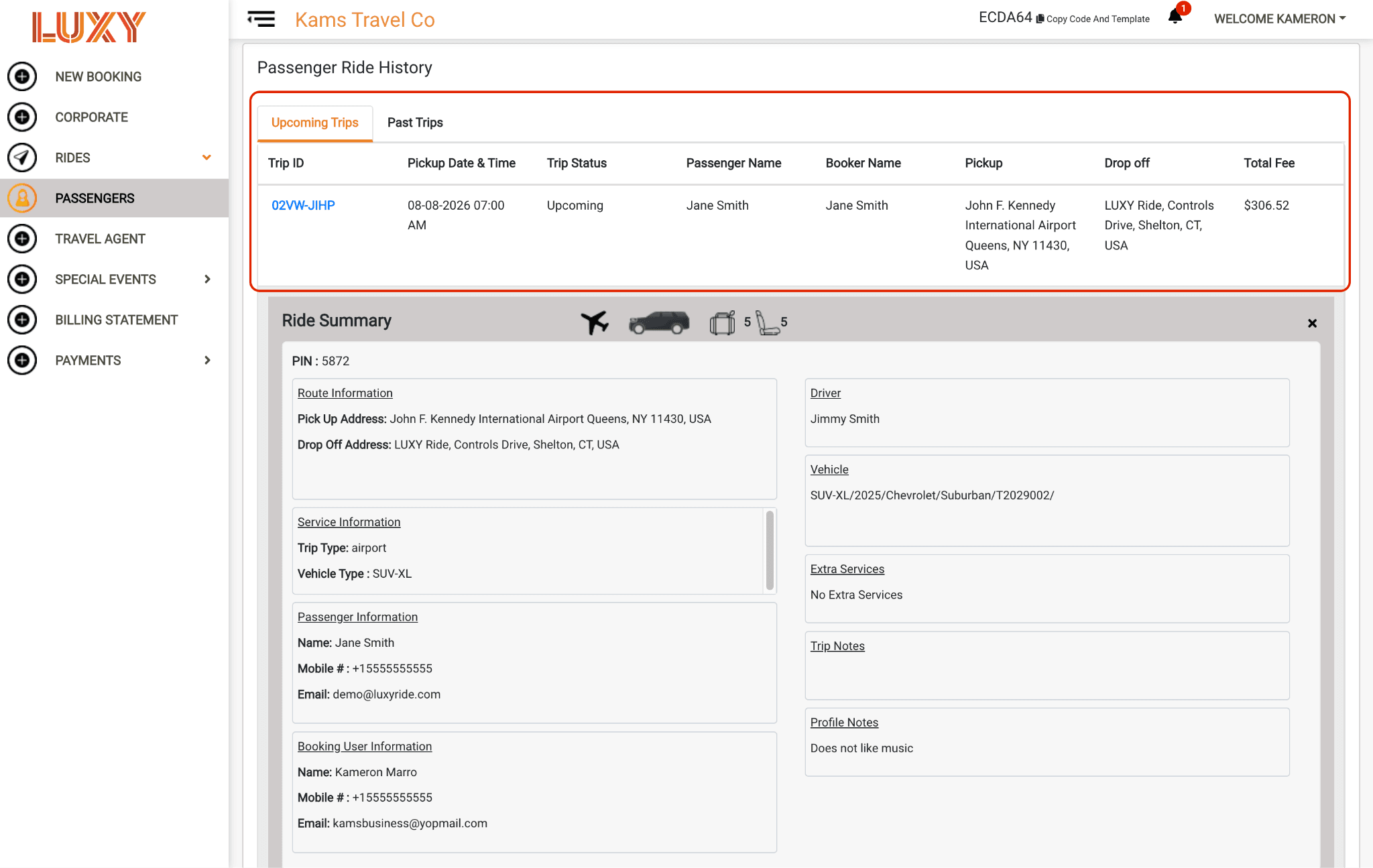
- Scroll down to the Upcoming Trips section. Select any upcoming trip to view its ride summary, including the route, service information, passenger information, booking user information, assigned driver (available 12 hours before pickup), assigned vehicle (available 12 hours before pickup), selected additional services, An optional field entered while booking a ride, for adding information specific to that single booking (e.g., traveling with golf clubs), separate from the passenger's saved Profile Notes., and passenger An optional field on a passenger's profile for saving preferences or helpful information (e.g., prefers a quiet ride) for use in future bookings. Visible to LUXY and its partners..
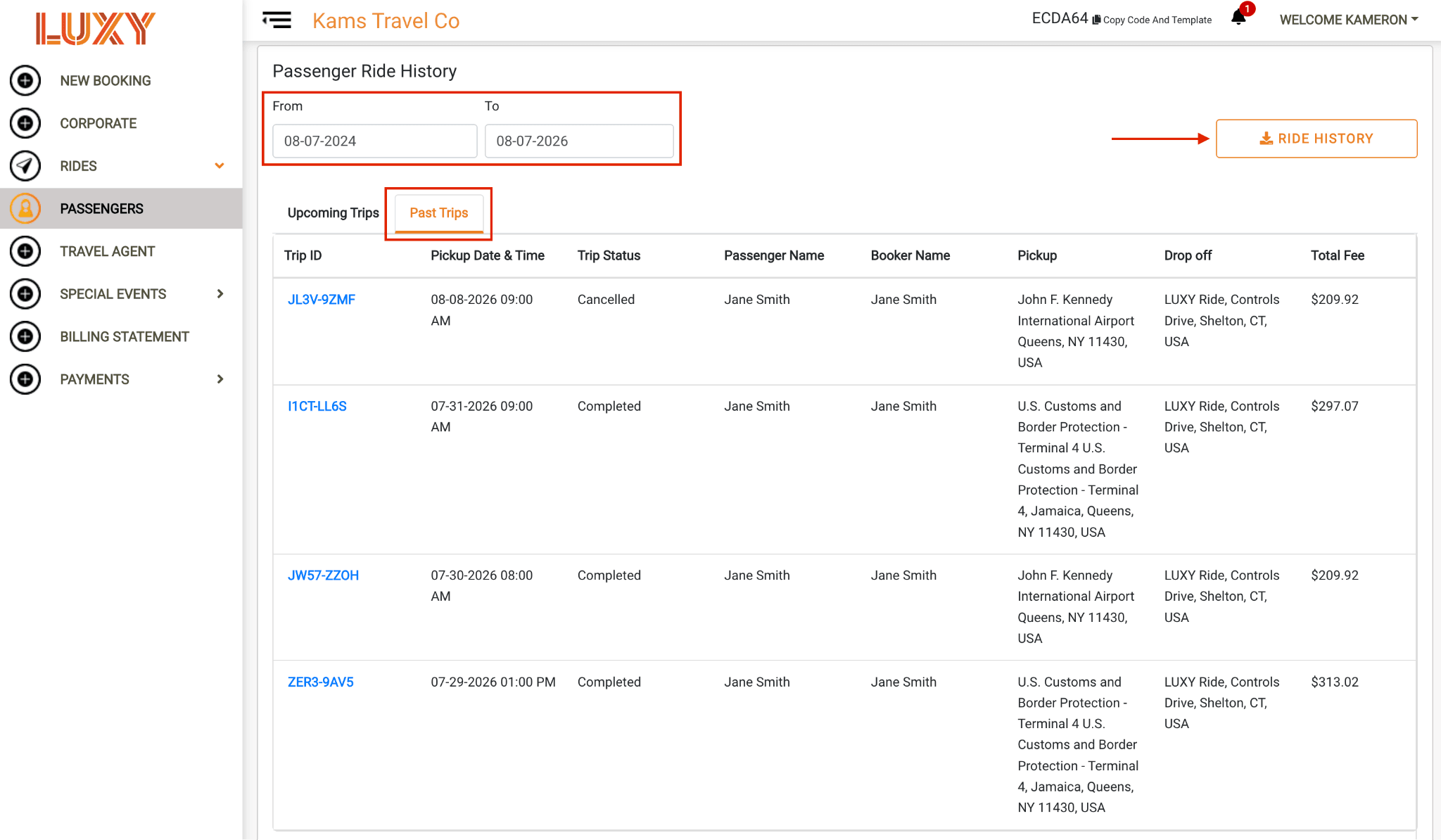
Select Past Trips to view the passenger's previous trips and download ride history records.
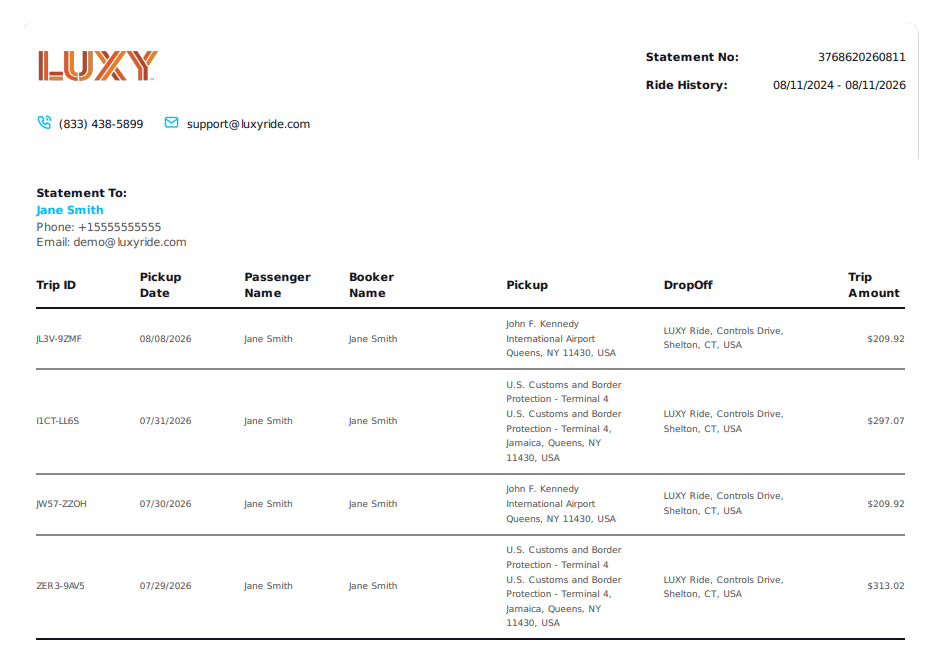
Sample ride history download