Overview
Use this guide to update an existing passenger's information, including contact details, addresses, travel preferences, and An optional field on a passenger's profile for saving preferences or helpful information (e.g., prefers a quiet ride) for use in future bookings. Visible to LUXY and its partners..
Note: Updates to a passenger's profile do not apply to rides that have already been booked. The updated information will apply to future rides booked for the passenger.
Steps
- Log Into Your Travel Agent Account.
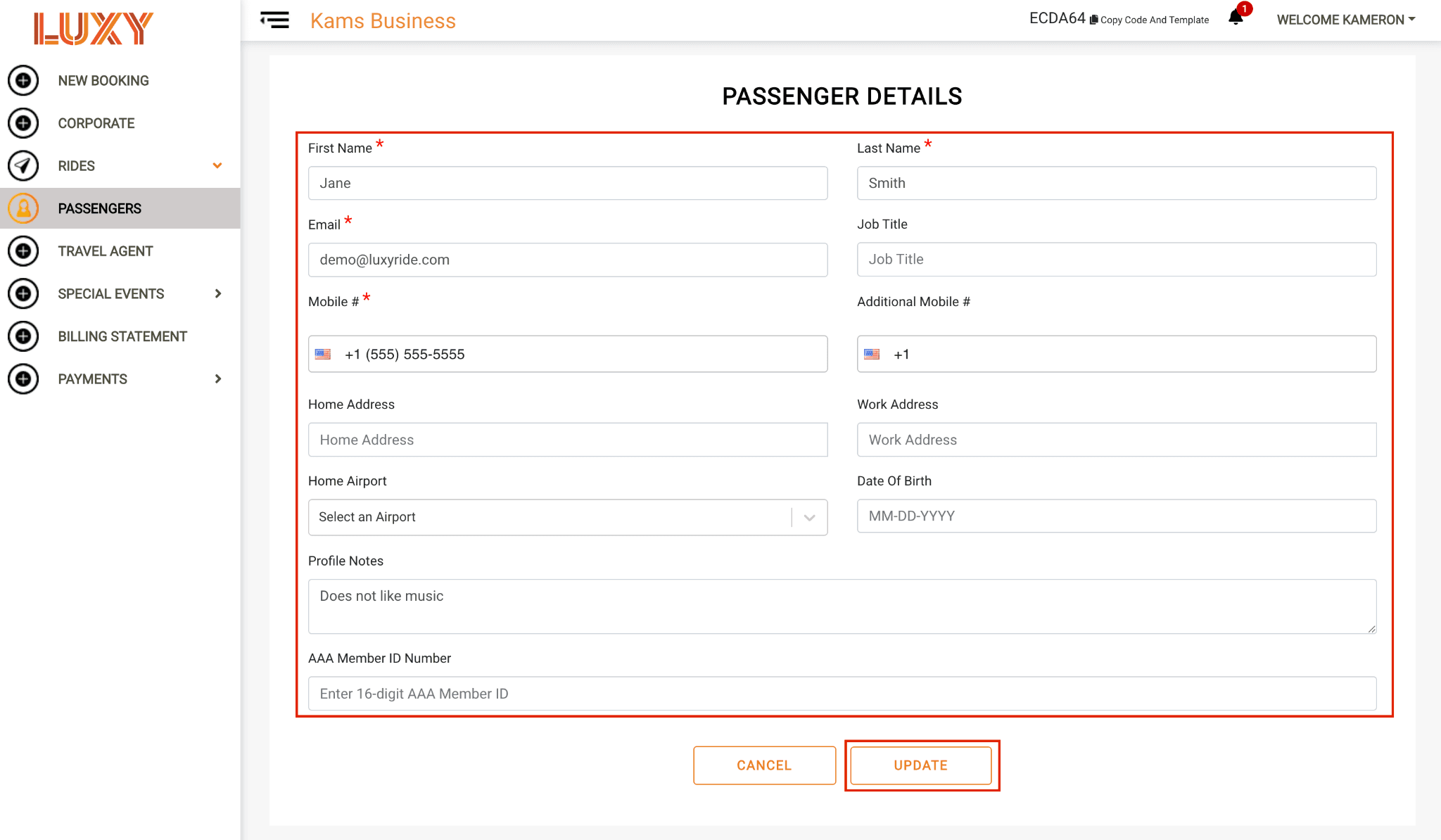
- Navigate to Passengers, then select the Edit icon for the passenger whose details you want to update.

- Update any of the passenger's information as needed, including:
- First and last name
- Email address
- Job title
- Phone number
- Home address
- Work address
- Home airport
- Date of birth
- Profile notes (optional). Use this field to save passenger preferences or other helpful information that should remain on the passenger's profile (for example, prefers a quiet ride). These notes are saved with the passenger profile and can be used for future bookings. Profile notes are visible to LUXY and its partners.
- AAA member ID number
Select Update to apply your changes.