Overview
Use this guide to help your passenger view trip details, monitor an upcoming or in-progress ride, and prepare for pickup through the LUXY web platform. All screenshots are shown from the passenger's point of view.
Steps
- Help Your Passenger Access the LUXY Ride Web Portal
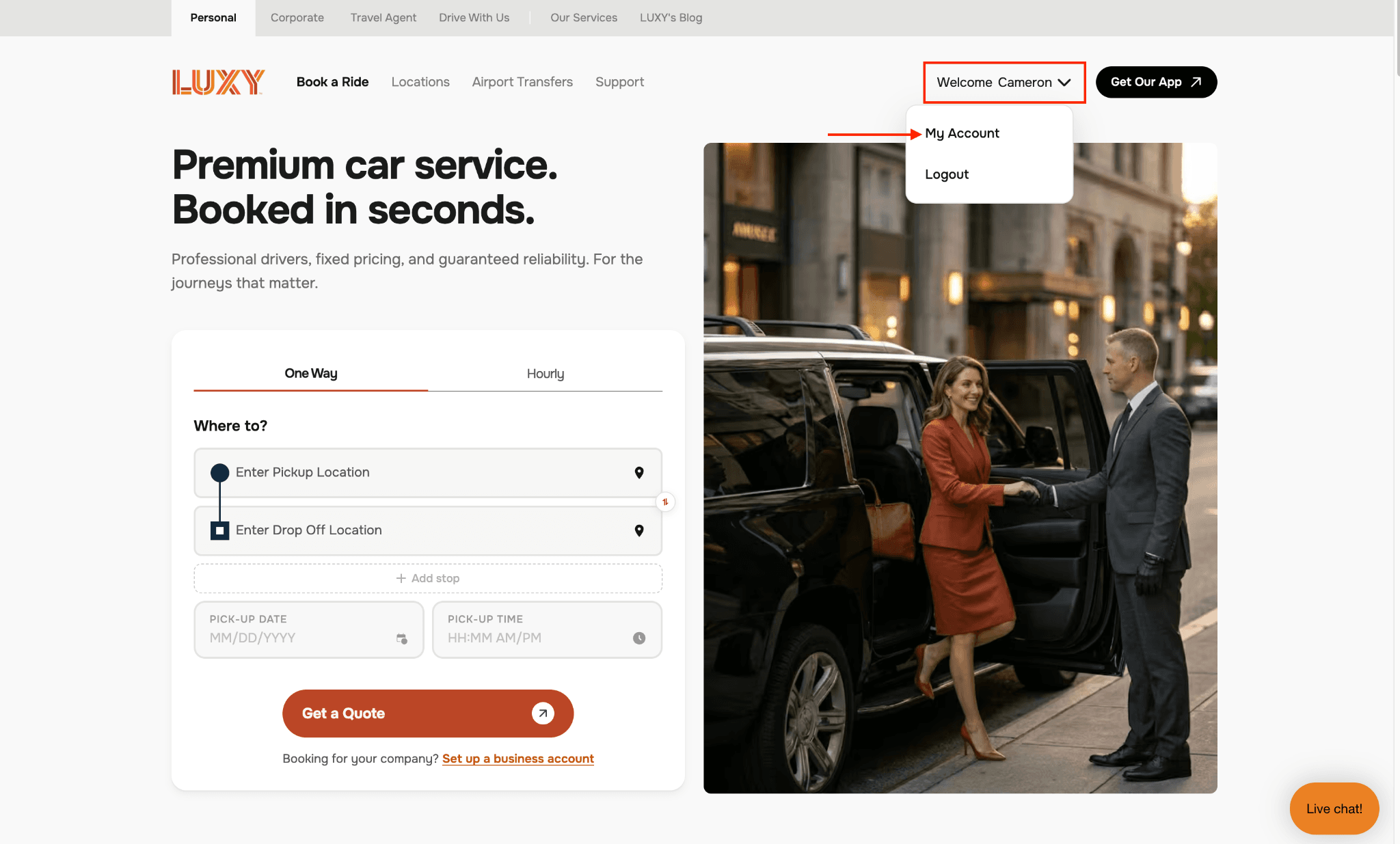
- Select the drop-down menu next to their name, then select My Account.
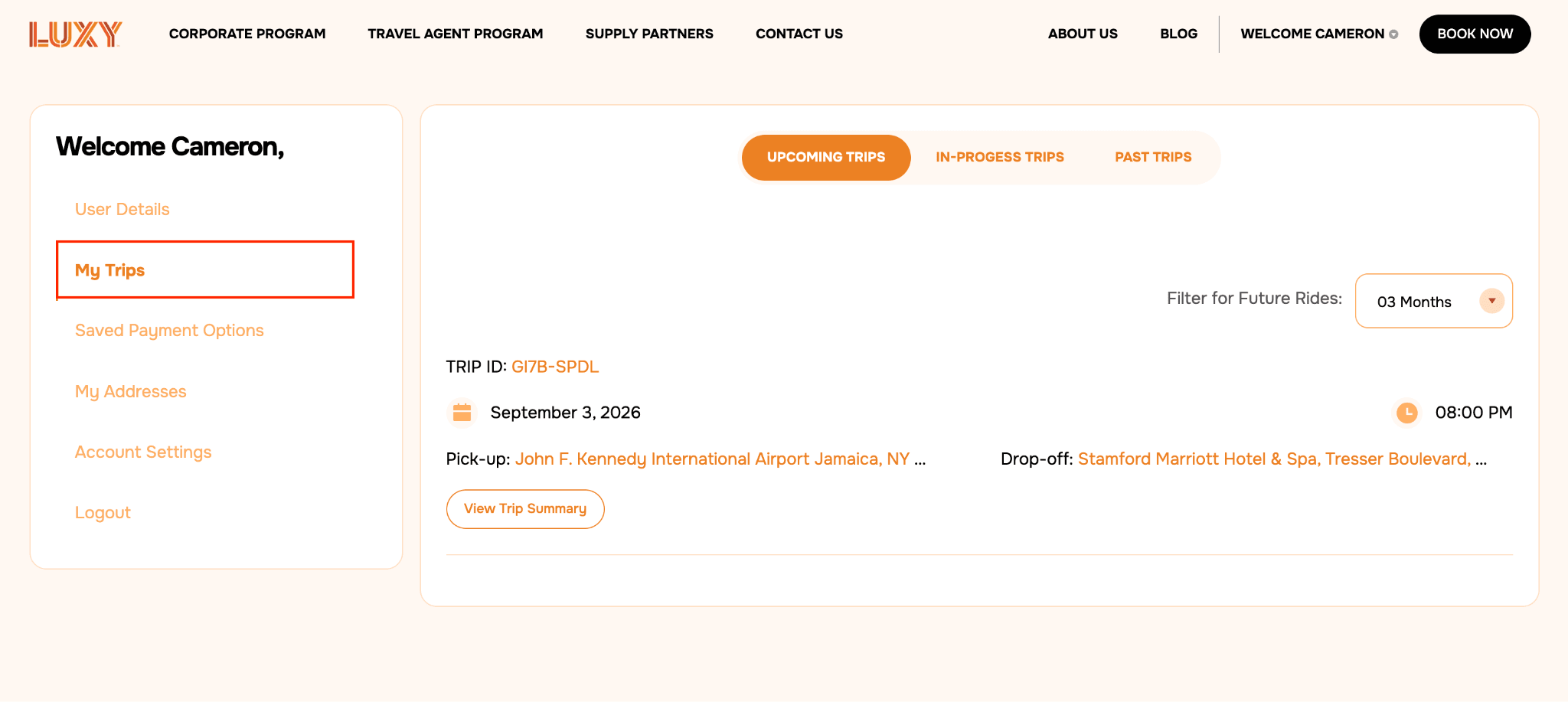
- Select My Trips to view upcoming, in-progress, and past trips.
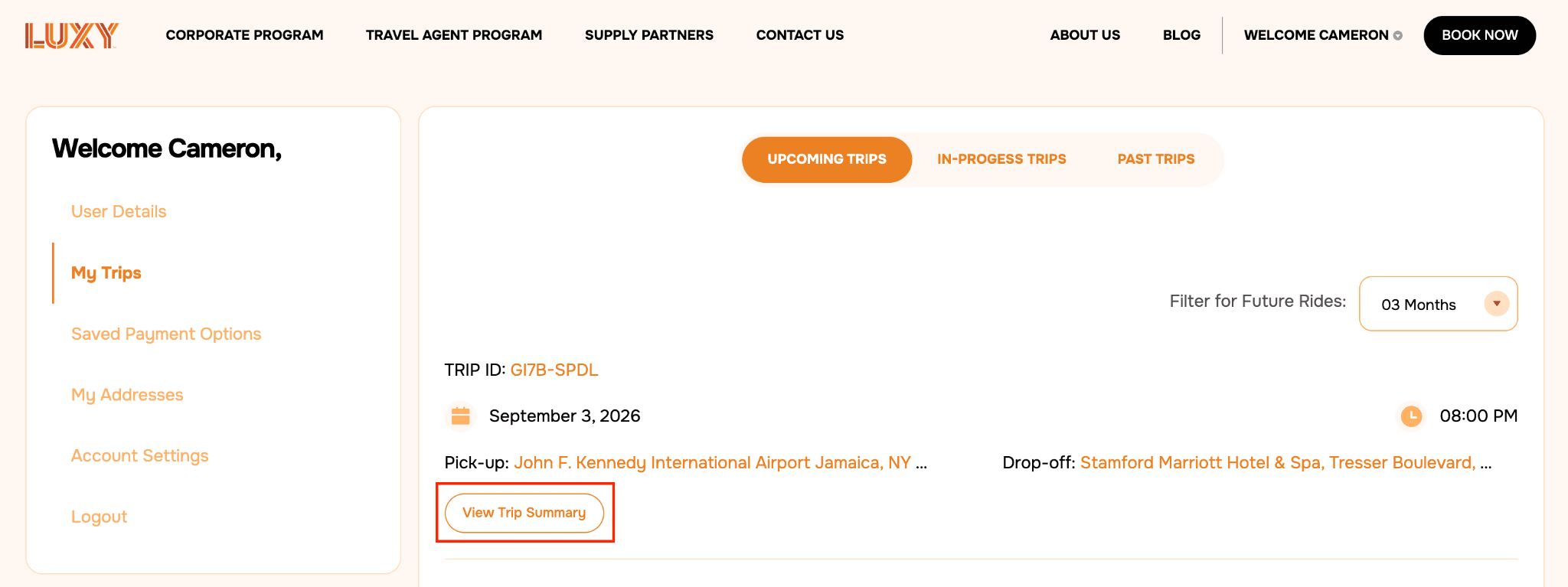
- Select View Trip Summary.
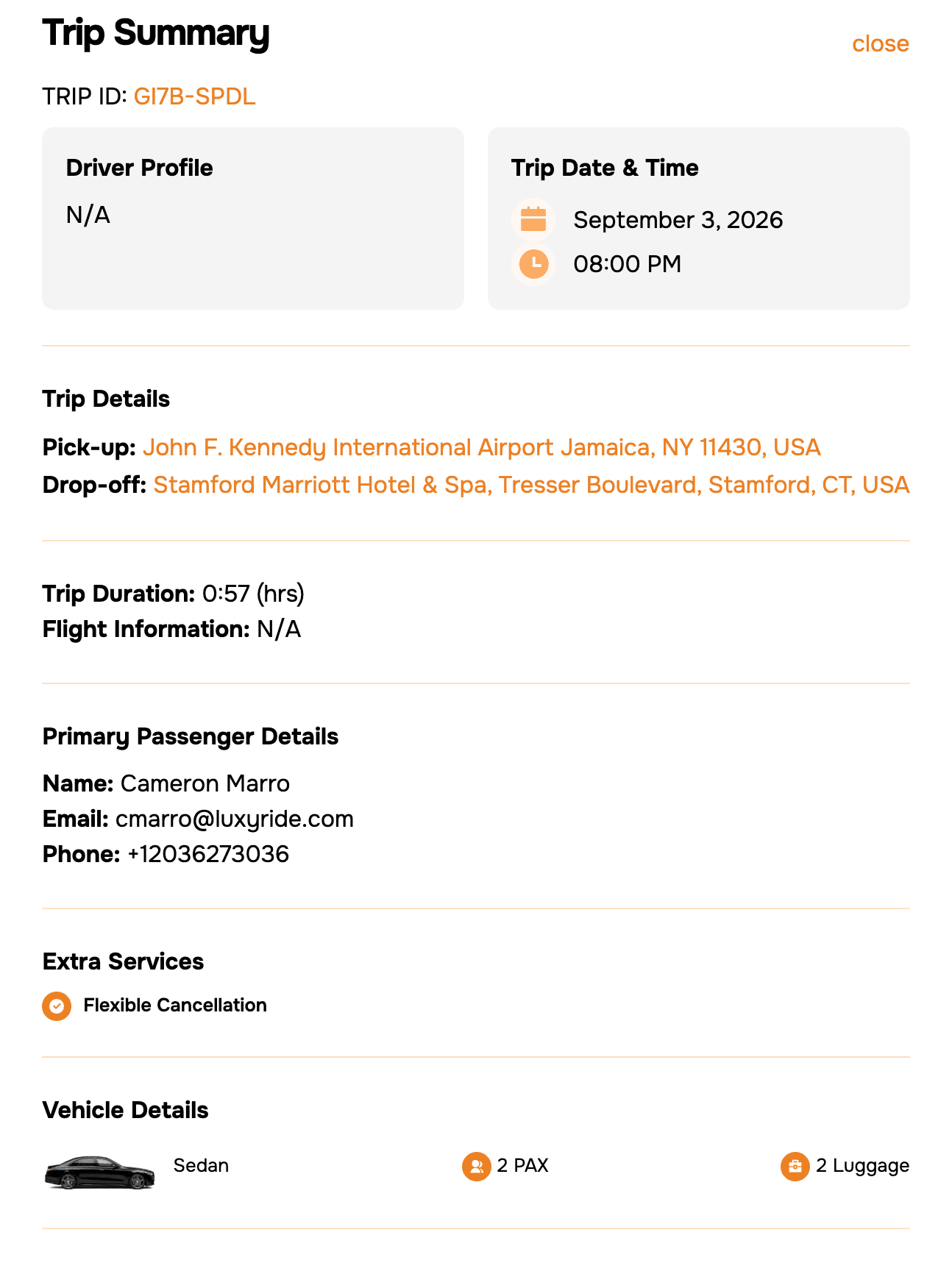
The ride summary displays:
- Assigned chauffeur
- Pickup and drop-off locations
- Pickup date and time
- Flight information, if applicable
- Vehicle information
- Passenger details
- Optional add-ons available at booking, including Meet & Greet, Flexible Cancellation, pet accommodation, and child seats.
 Passengers cannot edit or cancel rides booked by a Travel Agent. The Travel Agent must make any necessary changes through the LUXY Travel Agent Portal.
When the chauffeur is traveling to the pickup location, the ride will move to In-Progress Trips.
When the chauffeur arrives at the pickup location, the The current stage of a booked ride, such as In Progress or Completed. will change to On Location. The chauffeur may reach out via text or phone call to coordinate pickup.
The following grace periods apply when the driver is on location:
- Standard pickup: 15 minutes
- Domestic airport pickup: 45 minutes after the flight lands
- International airport pickup: 75 minutes after the flight lands
- Private airport pickup: 15 minutes after the flight lands
After the applicable grace period ends, wait time is charged at $1.50 per minute.
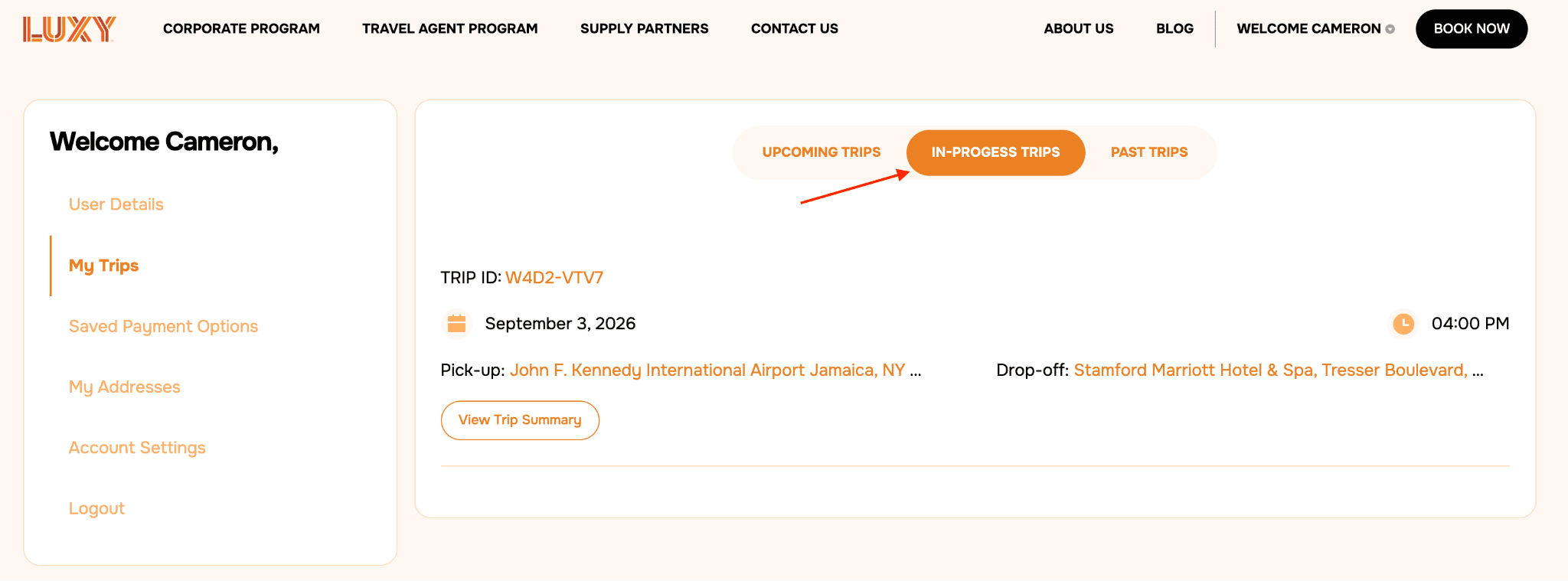
- Before the vehicle departs the pickup location, the passenger must provide the chauffeur with the Safety PIN if A security feature that requires the passenger to provide a four-digit PIN to the driver before entering the vehicle. The PIN confirms that the correct passenger and driver are matched. PIN Verification can be enabled or disabled for each travel agency account. is enabled for the agency.
- When the ride is complete, it will move to Past Trips.
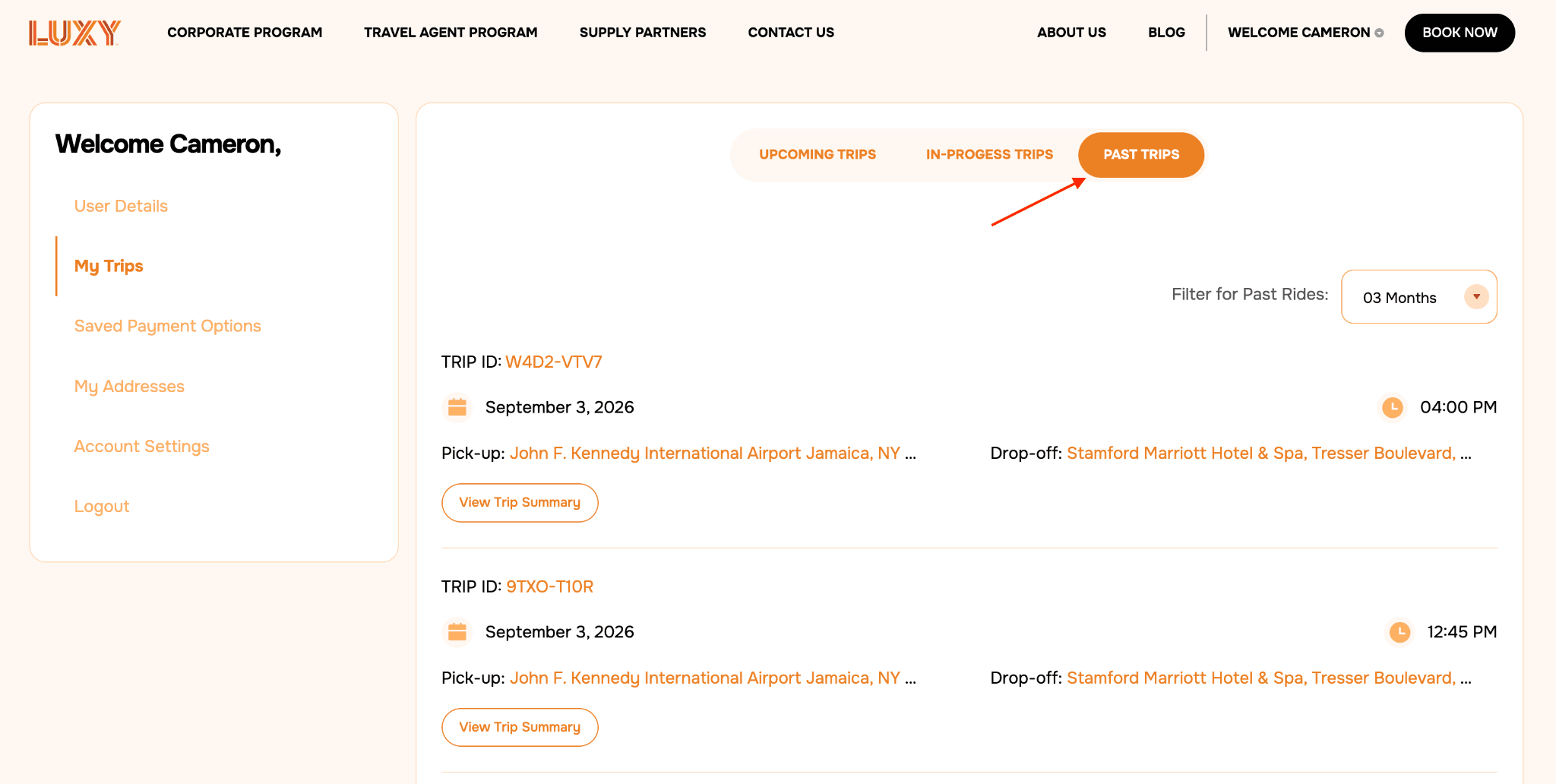
- After the ride is completed, the passenger will receive a text message inviting them to leave a review. We encourage passengers to share their feedback, since reviews help agencies and chauffeurs maintain a high standard of service.