Overview
This guide explains how to check your The percentage of a booking’s fare earned by a travel agenct for eligible bookings made through their travel agency account. Commissions are paid to the agency according to LUXY’s payout schedule. balance in the LUXY Agent Dashboard. For more information on commissions see Commissions and Payouts.
To view when your commission will be paid, see the Payout Calendar 2026-2027 .pdf
Steps
- Log Into the LUXY Travel Agent Portal.
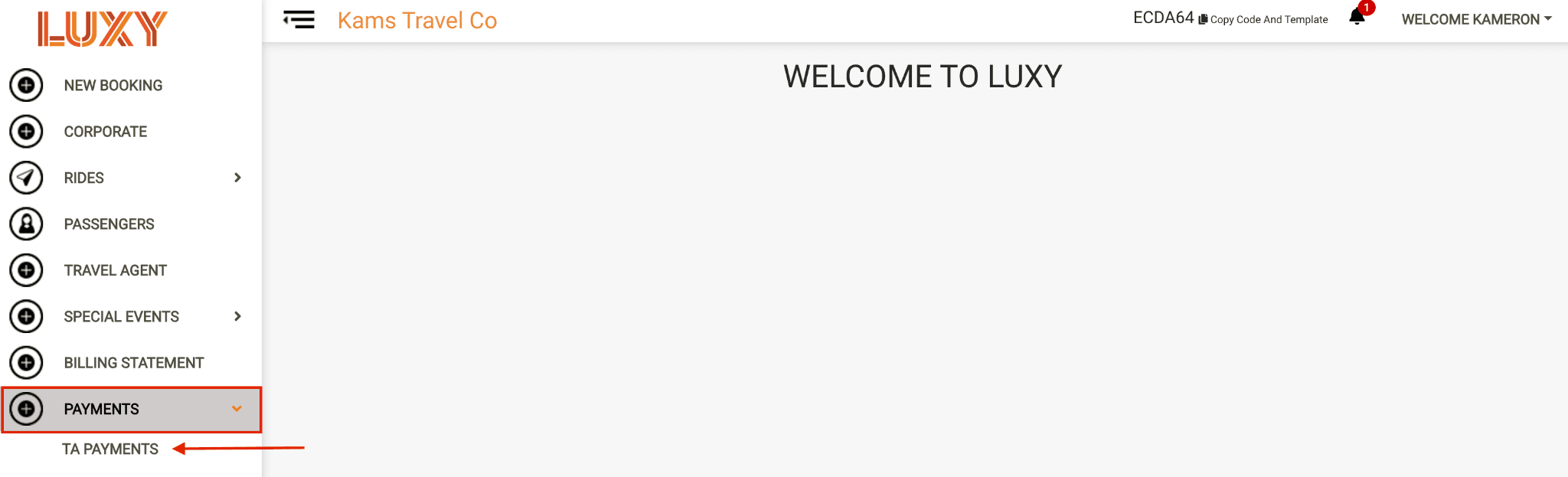
- Go to the Payments tab on the left-hand side and select TA Payments from the dropdown.
- Filter by the month the ride was completed. The rides that qualify for a commission will appear, and you can view the commission amount for each ride under the Commission column.
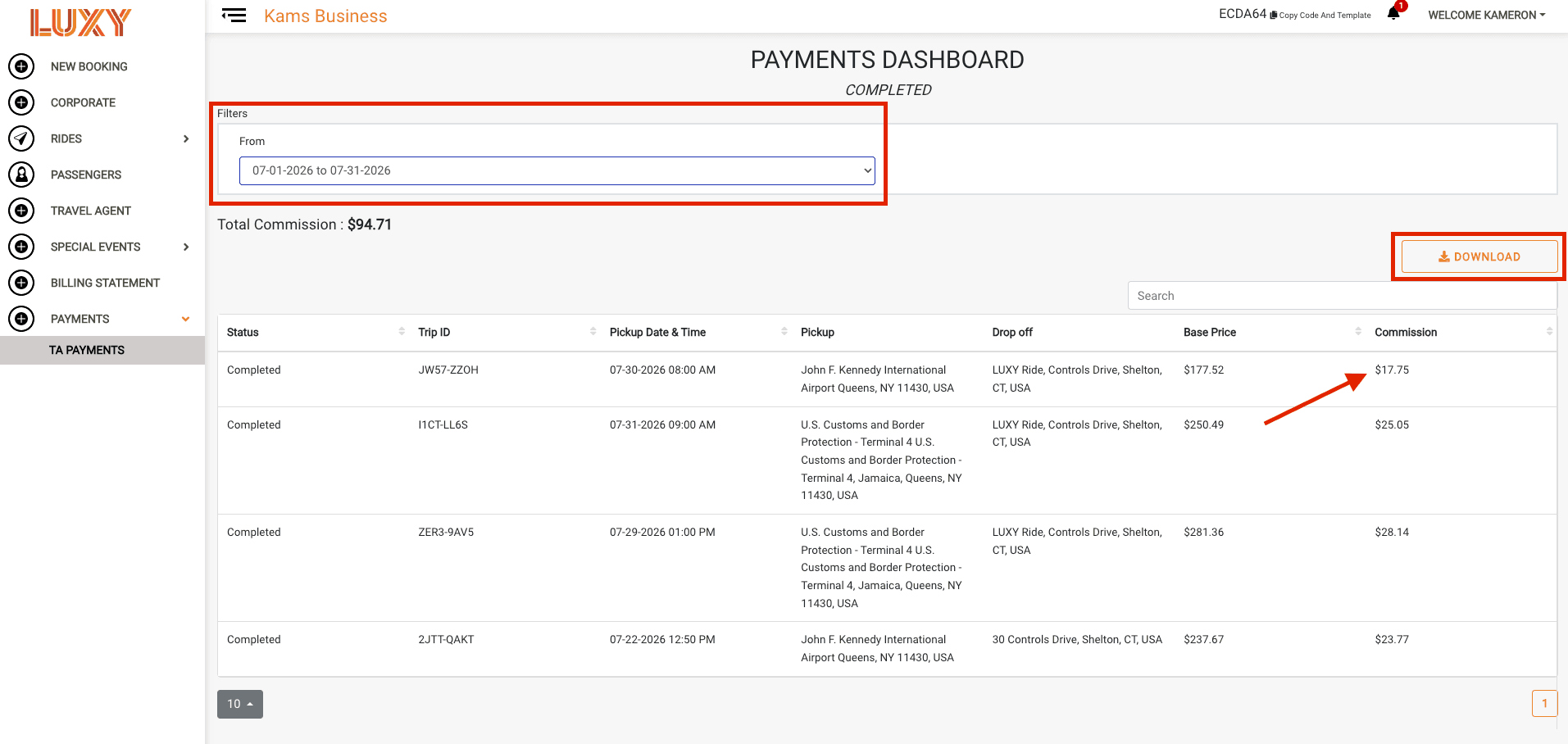
You can also download a PDF commission report by clicking the Download button.
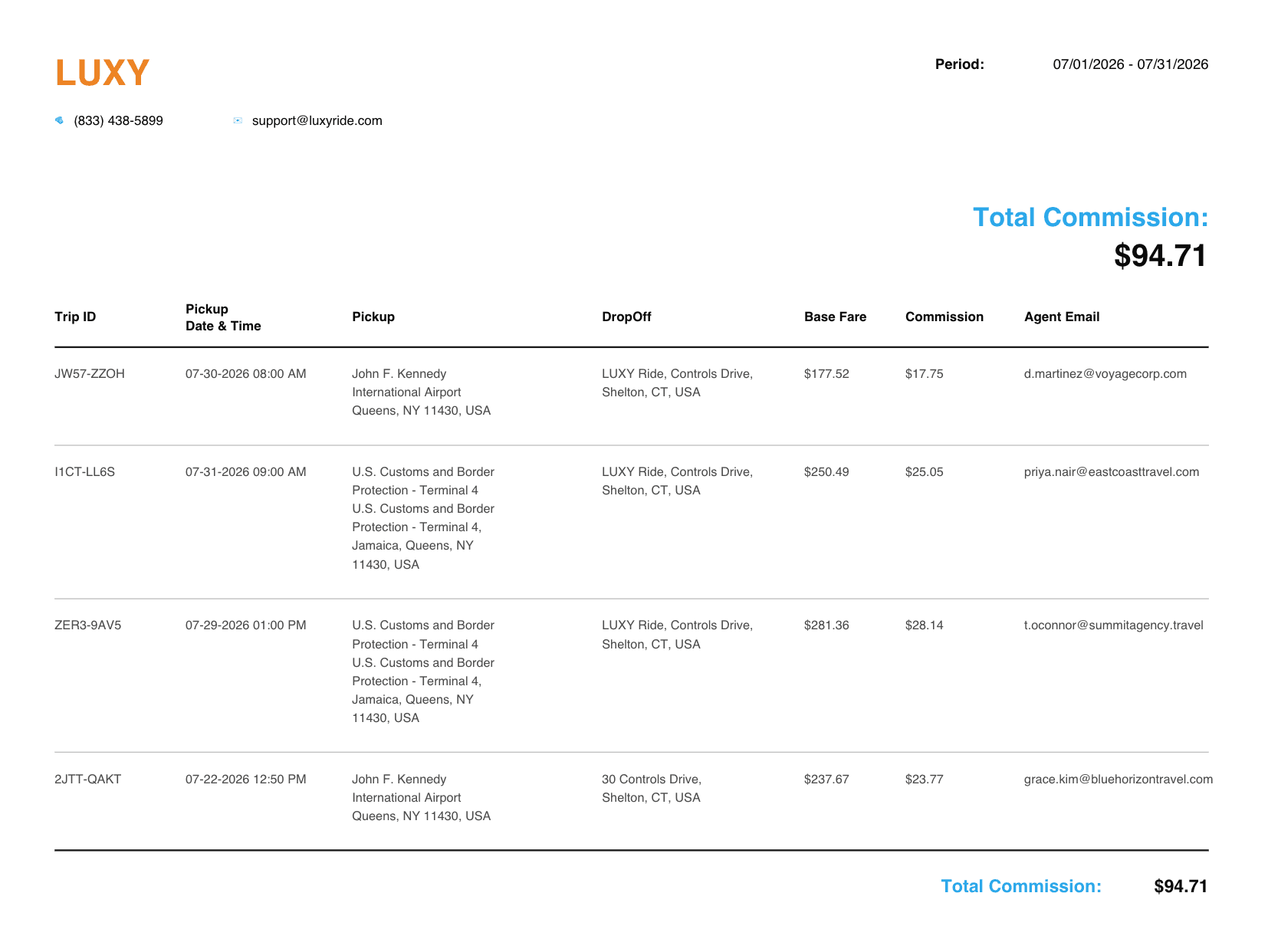
Sample commission report