Overview
Use this guide to edit a travel agent's profile information (name, email, phone number).
Steps
- Log Into the LUXY Travel Agent Portal.
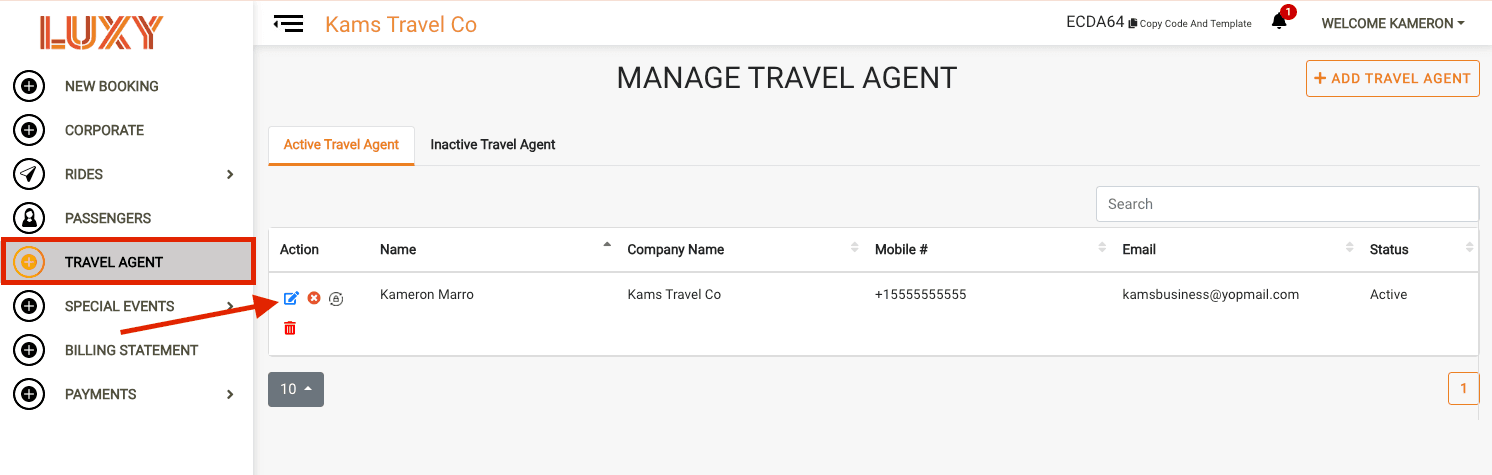
- On the left-hand side, click Travel Agent. Then, next to the travel agent whose profile you want to edit, click the Edit icon.
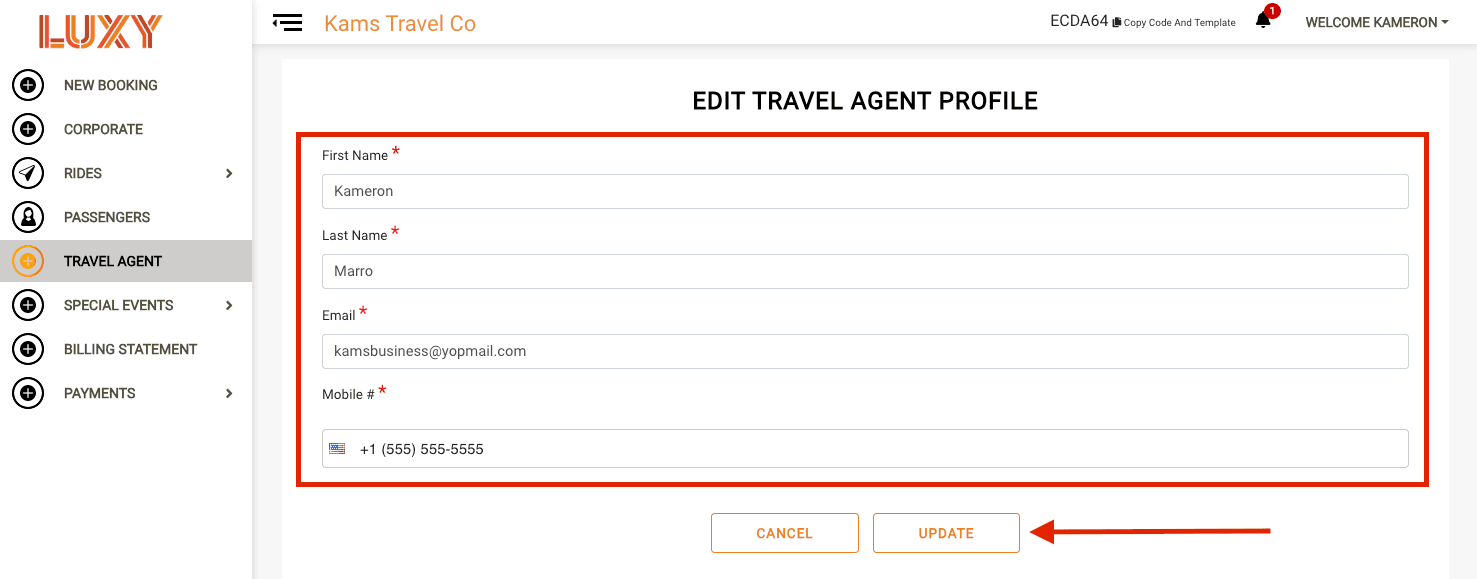
- Edit the profile fields. Update any of the following:
- First Name
- Last Name
- Mobile
- Save your changes. Click Update to save the updated profile.