Overview
Use this guide to enable or disable A security feature that requires the passenger to provide a four-digit PIN to the driver before entering the vehicle. The PIN confirms that the correct passenger and driver are matched. PIN Verification can be enabled or disabled for each travel agency account. for your Travel Agent account. When enabled, passengers must provide the driver with a PIN before the ride begins, adding an extra layer of security to each ride.
Note: Changes to the PIN Verification setting do not apply to rides that have already been booked. The updated setting will apply to future rides.
Steps
- Log Into the LUXY Travel Agent Portal.
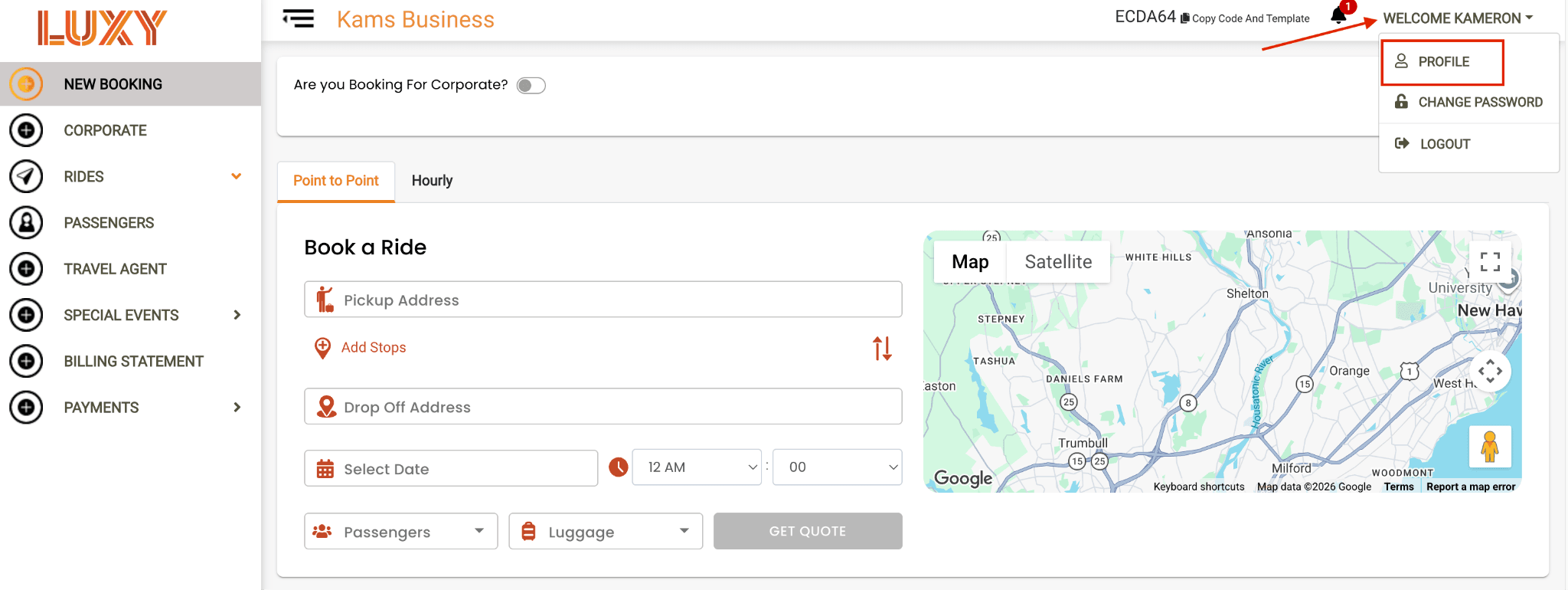
- In the top-right corner of the page, click Welcome (Company Name), then select Profile from the drop-down menu.
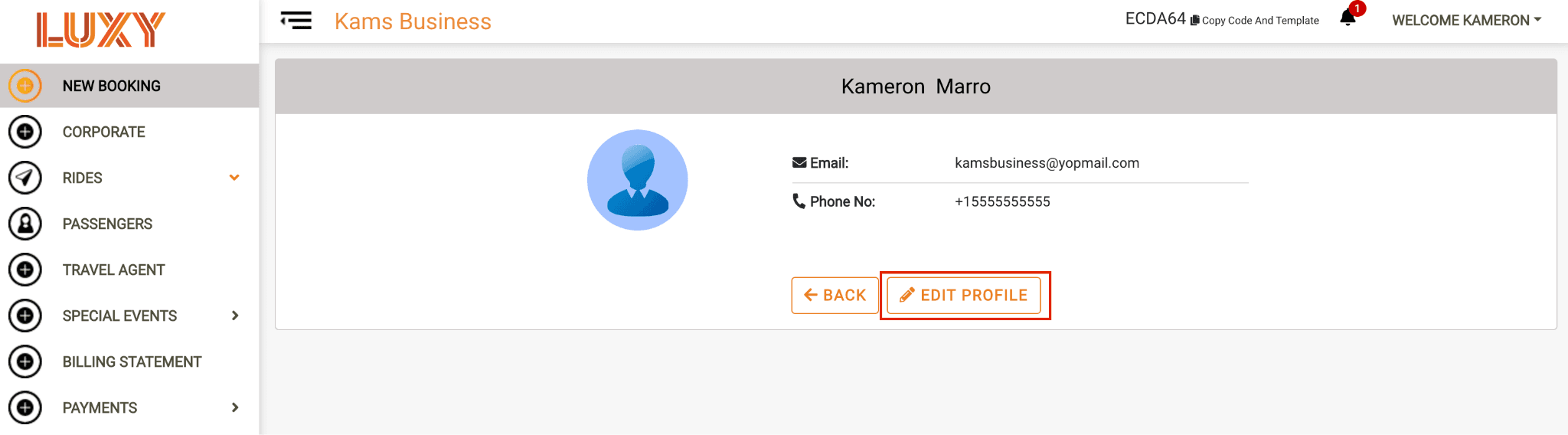
- Select Edit Profile.
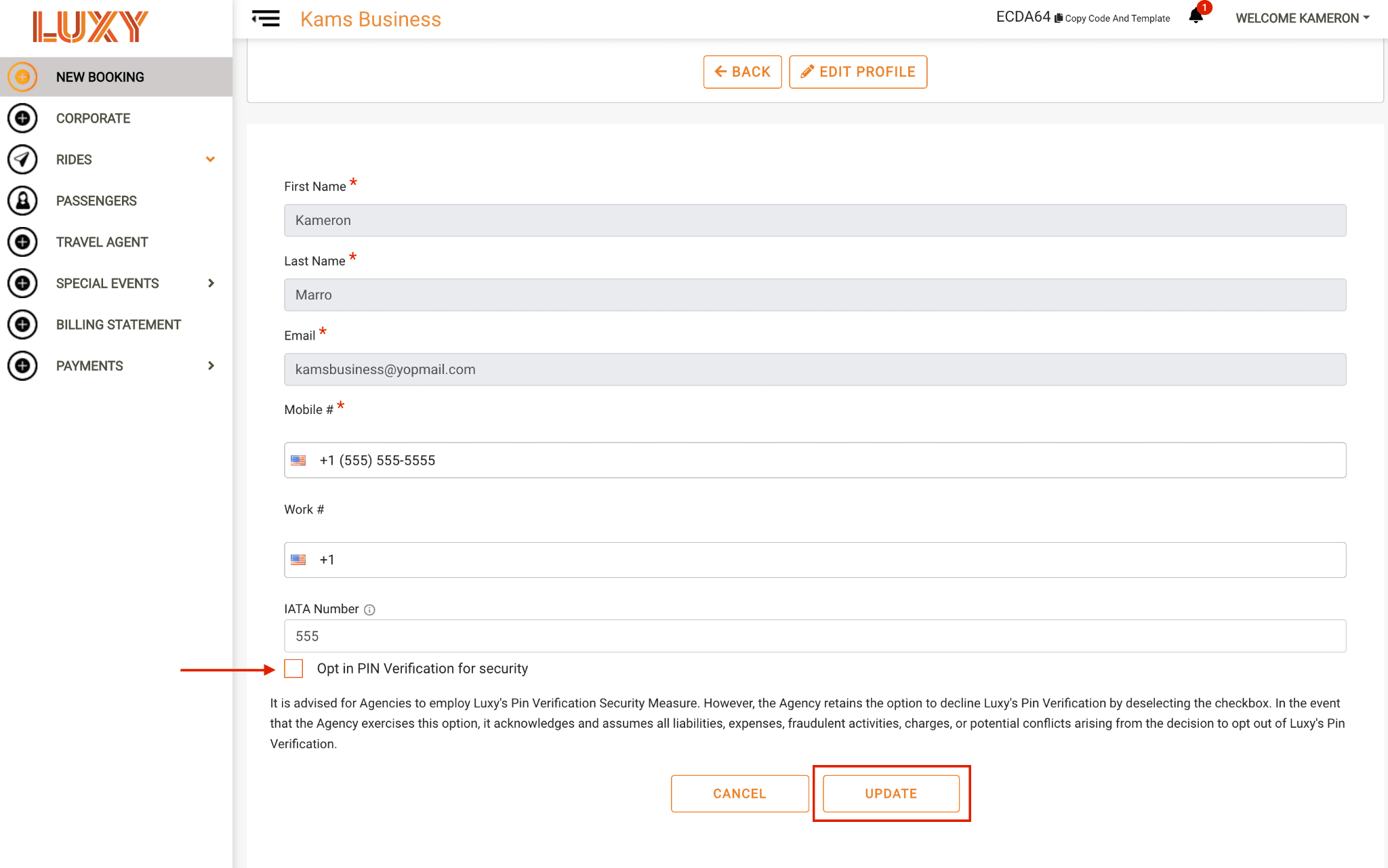
- Select the PIN Verification checkbox to enable the feature, or clear the checkbox to disable it. Then click Update.